Attention Google Chrome and Microsoft Edge Users:
Updated versions of Google Chrome (version 142 or newer) and Microsoft Edge (version 143.0.3650.66 or newer) have added a new permission setting that requires users to manually allow websites to access local networks. This permission is required to allow the Easel website to find the locally installed Easel Driver to connect with machines.
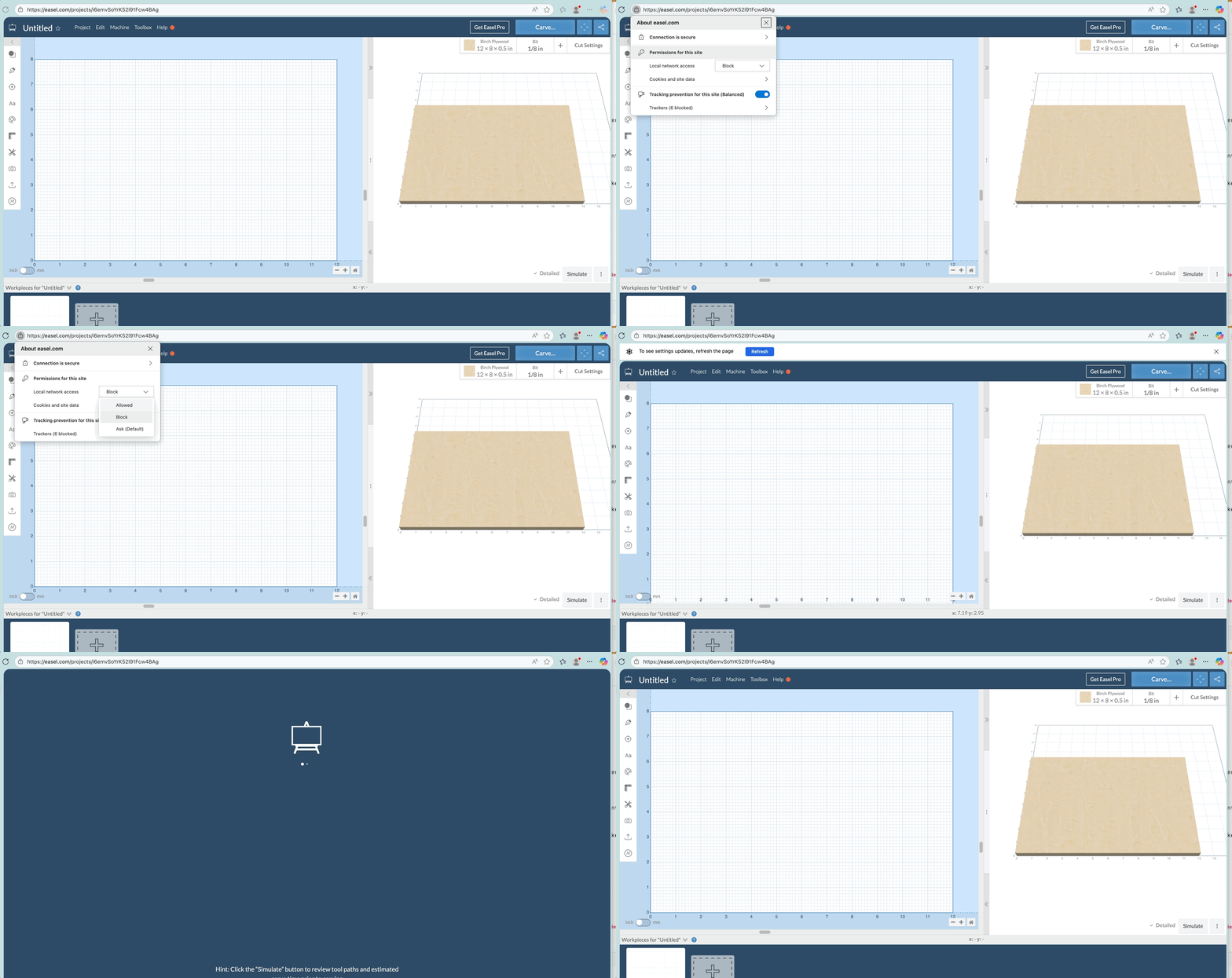
Upon opening the Easel website, you may see a prompt asking whether to allow or block Easel from looking for and connecting to any devices on your local network.

You’ll need to allow this connection so Easel can safely communicate with your machine:
If you accidentally dismissed or denied this prompt, you can reset the permission by clicking the lock or settings icon next to the [Easel.com](http://easel.com/…) address in your browser’s address bar. From there, re-enable access to local devices and then refresh Easel before trying to connect again.