I’m trying to download a project to SVG to import into Aspire and the file downloads but the SVG is blank. Any thoughts? This started yesterday and its still not working
1 Like
yes I have been experiencing the same thing!
@TannerHeffington Thanks for reporting this issue. We published a fix this morning.
If exporting a project resulted in an empty SVG, the issue was that the SVG was generated at a very small size, requiring it to be scaled back up after importing. Export the project again and it should be the correct size.
We are aware of a separate issue where SVGs for some workpieces are not being generated properly. If that’s happening, please click each of the workpieces that you want to export so that the cloud icon disappears:
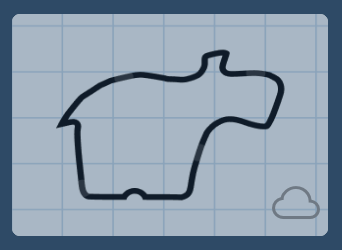
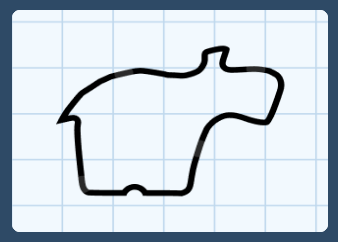
You may also export workpieces individually.
If you need any other help, let us know. Thanks!
1 Like
This topic was automatically closed 90 days after the last reply. New replies are no longer allowed.