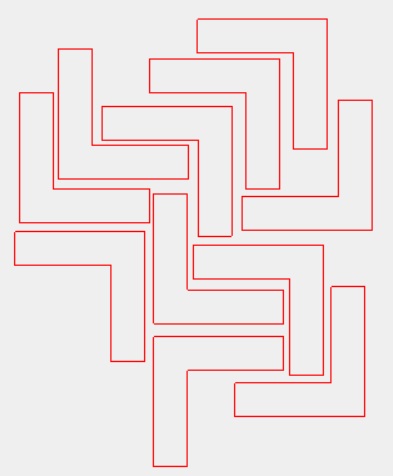
Hello I’m currently working on a project and I’m trying to turn one object into multiple pieces but I’m unable to figure out if that’s possible. Or if I’m just not quite understanding how to do so. Essentially trying to make “L” shapes and avoid using a full sheet. Trying to use up a bunch of scrap and these will be used as spacers. I’ve attached a photo to help understand. thank you
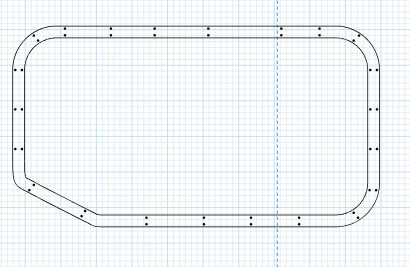
Well you can select your object and Edit/Copy/Paste. Then rotate the ones and move them into the position on the plywood. How to Rotate Objects Easel Software. Make sure the material is set to the size of the material so you don’t get tiling. I’m not sure if your item is the spacer or not. What does the L shape look like as far as the part is concerned?
If the above is a spacer for your L shape and you want to make multiple spacers, then you should select all and do what I suggested above.
You could theoretically draw your plywood scrap with a border line, and then position your spacers on it in the drawing and manipulate your parts around the spacers, and lastly set the depth to Zero on all the things you don’t want to cut out. Hope that makes sense.
I don’t know how experienced you are so I’ll start with some basic math. Calculate the material dimensions in inches or Millimeters then the cutout plank dimensions. I.e., starting with a sheet 24 inches by 48" then calculate the cutout.
24*48=1,152 sq. in.
Say each of the plates has dimensions of 3*4"=12 sq. in. If you have 0 waste (unrealistic), you should be able top cut 1152 / 12 = 96 plates. This will give you a starting target to shoot for.
I used to have a plasma table that would optimize the layout pattern for me to minimize waste. If you look you can probably find a layout optimizer with some searching.