1.SLDPRT (51.6 KB)
Unfortunately the file works for me. So I think the issue is that your version of SW (2016) isn’t compatible with the macro. Unfortunately I can’t confirm this.
Thanks for your help
Hi!
Thank you so much for the Macro!
Any chance this was updated for 2020-2021 version? It’s not loading on my end!
Thank you for the support.
Best regards,
Matt
Hi Matt,
My apologies, but i’m still on 2019. Will be upgrading later this year. Might be able to look at it then.
Cheers,
Ethan
Thank you so much for this. At first the 1.03 version was not working for me, got the “disconnected to client” error, but followed up the post and with the 1.05 version it DID work for me with solidworks 2020. I needed this SO MUCH thank you thank you!!
1 Like
You’re more than welcome!
in solidworks 2020 it crashes the software.
This is RAD work! Thanks for putting it together, and maintaining it over the years.
Looks like Inventables put out a DXF importer “v2.0” for Easel recently, I found it works pretty well.
And they even turned on the “cut outside” feature for their tool.
I still need your tool for imports into other SVG-centered CAM programs, so I’m glad you’re around and maintaining it 
1 Like
I EthanKinney,
thank you for your tool. Unfortunately it doesnt work on my solidworks. I try with the 1.03 an 1.06 version. I’ve 2019 SP5 version.
When I lunch the macro, i obtain error ‘13’ : Type mismatch and with debug this lign is shown :
’ Show SVG
Me.SVG.Text = Face_SVG.PrintSVG
I tried with the sldprt model you give on the zipfile.
Can you Help me?
Thank you
Hi @JohnLash, would you mind posting the file you’re working on? I might be able to track down the issue that way.
Thank you for the fast answer. Ive the same problem with my own piece and using the piece you gave with the zipfile “face2SVG.SLDPRT”.
Howdy, I seen this amazing tool you made. I tried installing it on solidworks 2012 and it’s a lame duck. I read in here on a previous post you said something about the api isn’t compatible? I’m a cnc programmer I’ve never used visual basic how much of a stretch would it be to make this work for 2012? I would really like to have this for my workflow with the shaper origin. As of now I don’t have any options to get an svg out of solidworks other than this. Any help or insight would be helpful Thanks!
Hey Ethan,
First off your macro is very good, but i have an issue. This being when you click ‘Process SVG’ after it processes nothing appear in the ‘SVG’ bar. But wheni use your svg test file on it works just fine.
Can you help?
I dont think anything is wrong with my CAD
thanks
rian
Hi @RianCollins
Would you mind sharing your CAD model? I’ll take a look and see what might be going on.
Cheers,
Ethan
Hi Ethan,
Thanks for the macro! I’m going to be making some parts with an outline and pockets. What’s the best way to create an sgv file for this?

Is clicking on the top face and processing that an acceptable option?
thanks!
Blake
yes that should work. Let me know if you have any issues!
1 Like
thanks! I will be testing it soon.
1 Like
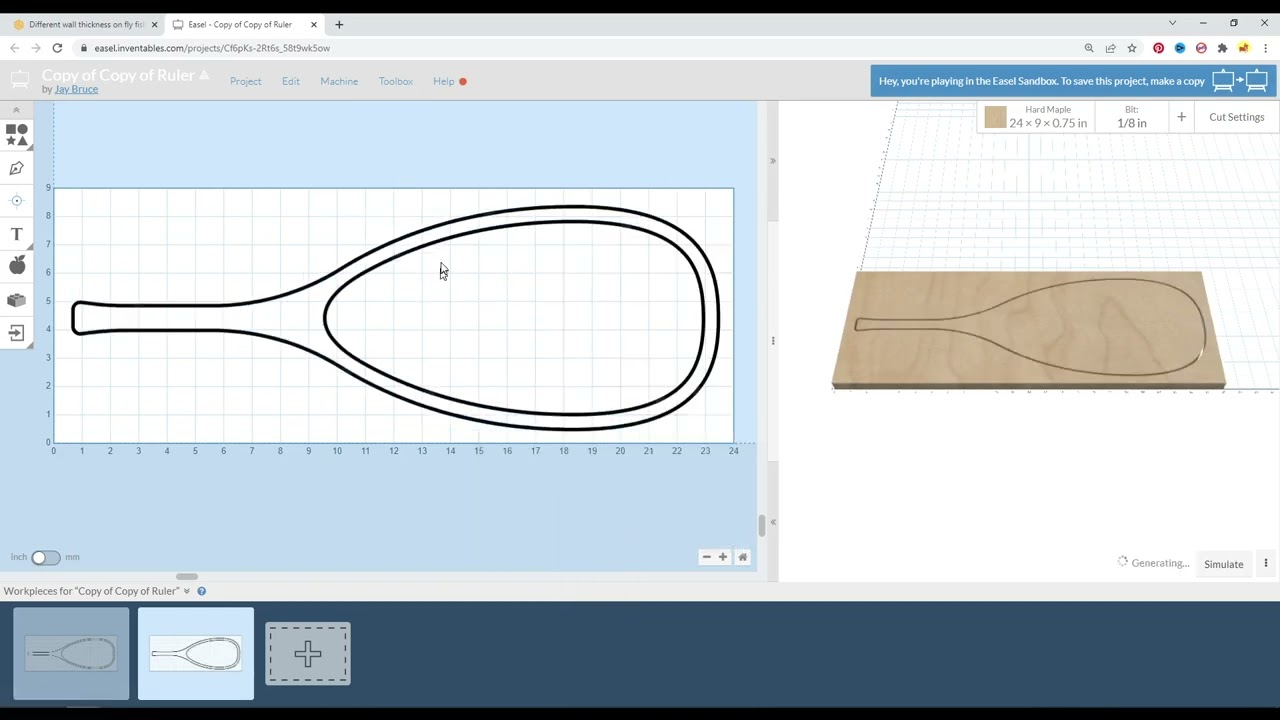
I am using this tool (thanks by the way!!) to process solidworks into a SVG file that I am giving my friend to bring into Easel. I notice in the youtube video you didn’t adjust the part thickness. Is this information actually needed or will the setup in Easel account for this.
A test SVG I created also had a huge line stroke width. Is there somethink I need to do to make sure my exports have a usable line width?
Thansk!
The user sets the material thickness in Easel and IF there are any pocket type of cuts, the user would have to identify how deep to cut down from the top to achieve the desired part thickness. Since Easel uses 2D designs this is all done within Easel as part of the normal process.
I’m not sure of this since I haven’t used Solidworks since our contract expired in 2017, but IF there was anything that could be done it would need to occur within Solidworks. However IF the design is importing into Easel the way I suspect it might be, then this might be helpful…