We use cookies to personalize content, interact with our analytics companies, advertising networks and cooperatives, and demographic companies, provide social media features, and to analyze our traffic. Our social media, advertising and analytics partners may combine it with other information that you’ve provided to them or that they’ve collected from your use of their services. Learn more.
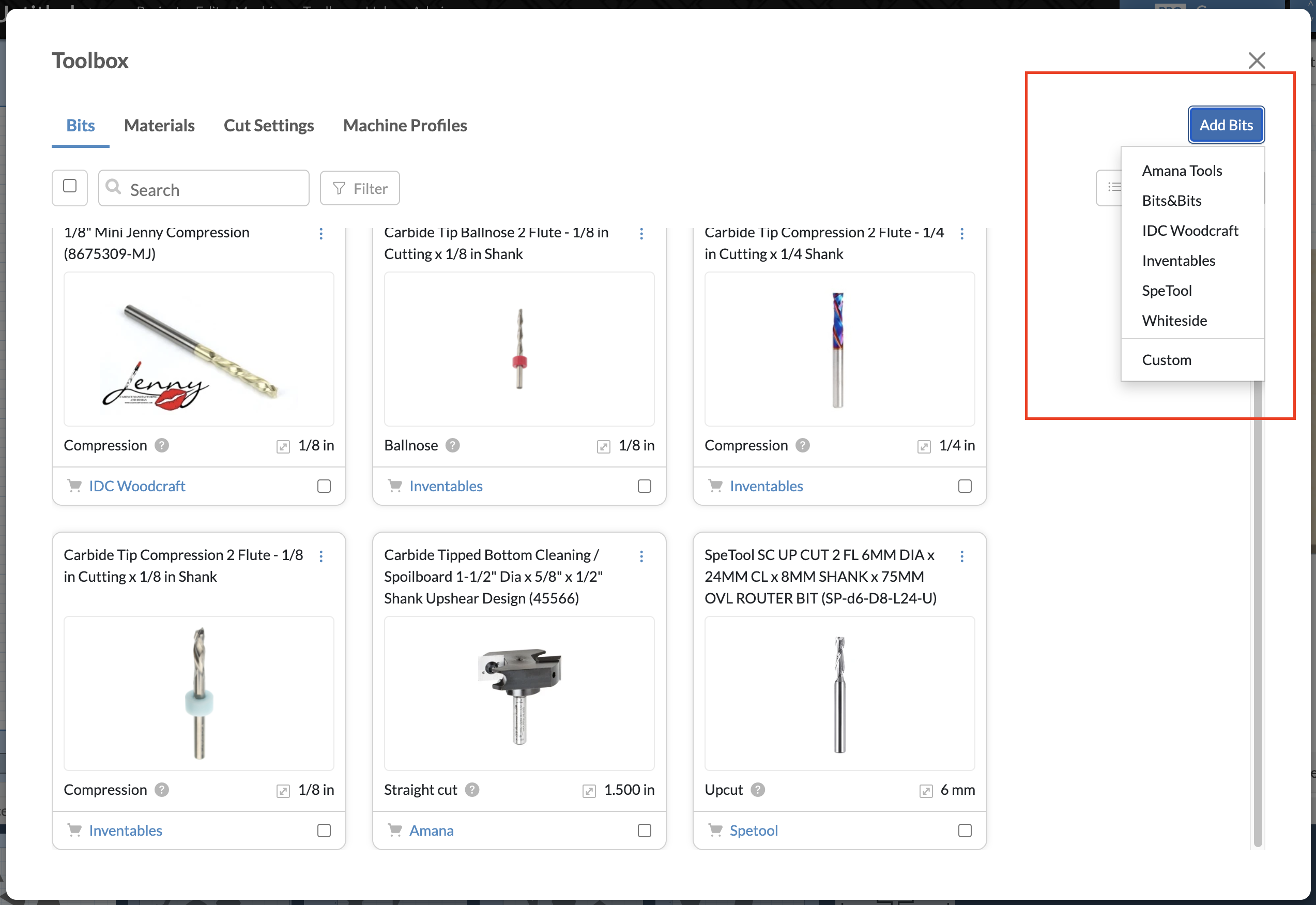
We’re making it easier than ever to add the bits you use to your Easel toolbox. Today, we’ve added nearly 600 new bits from 5 popular brands.
Amana Tools
Bits&Bits Company
IDC Woodcraft
SpeTool
Whiteside Machine Company
Find them in your Toolbox under Add Bits: *For now, these new bits won’t include cut settings.
We’d love to hear your feedback as you explore the new additions. Let us know if you find any mistakes or have any suggestions for how we can make this feature even better.
Excited to see new bits, though without having cut settings, that’s a little less helpful.
One thing I’d really like is smarter defaults for new or unknown bits. I feel like there should be a way to generate decent recommendations based on bit size and material type without knowing anything else.
Unless something’s changed, right now the defaults for unknown bits are pretty much useless. They seem guaranteed to break small bits, and are really slow for larger bits. (I’m running an X-Carve Pro 4x4.)
Also I know the recommended settings are from explicit tests, but there’s probably little need for that level of refinement. Generally speaking, there’s probably only a handful of speed/feed levels needed based on the general material for each bit type.
For example, if it works for Baltic Birch Plywood, it should work for the various Maple Veneer Plywoods. Most hardwoods would be the same (maybe divided into really hard and medium-hard), as would most softwoods, and most plastics are the same, too.
Maybe I’m wrong (and I’d love to be corrected), but I think this could really help cut down on the number of times I break a bit or get confused. (Also, it’s not always obvious that it’s cutting with generic settings at a glance.)
On a related note, it might be nice to be able to add our personal cut settings to a shared library so other users can try them out. Sharing the bit & material profile (along with machine type) could help expand the library faster, too.
@RichardAlarez Thank you for your reply and reporting the issue. Looks like we’ve got a couple duplicate bits for a few sources that are causing the button to hang. I’ll take a look and get this fixed early next week.
Very pleased to see the IDC bits. I use IDC’s mobile app and add my bits to the bit list. The app is great, it has all the settings, and you select the material and also MM or inches and the router you have to get the proper settings. If I have a bit from another source, I use a similar bit from IDC, although I buy many of theirs.
 *For now, these new bits won’t include cut settings.